Diagrams and charts your agent can draw, and check before it shows you.
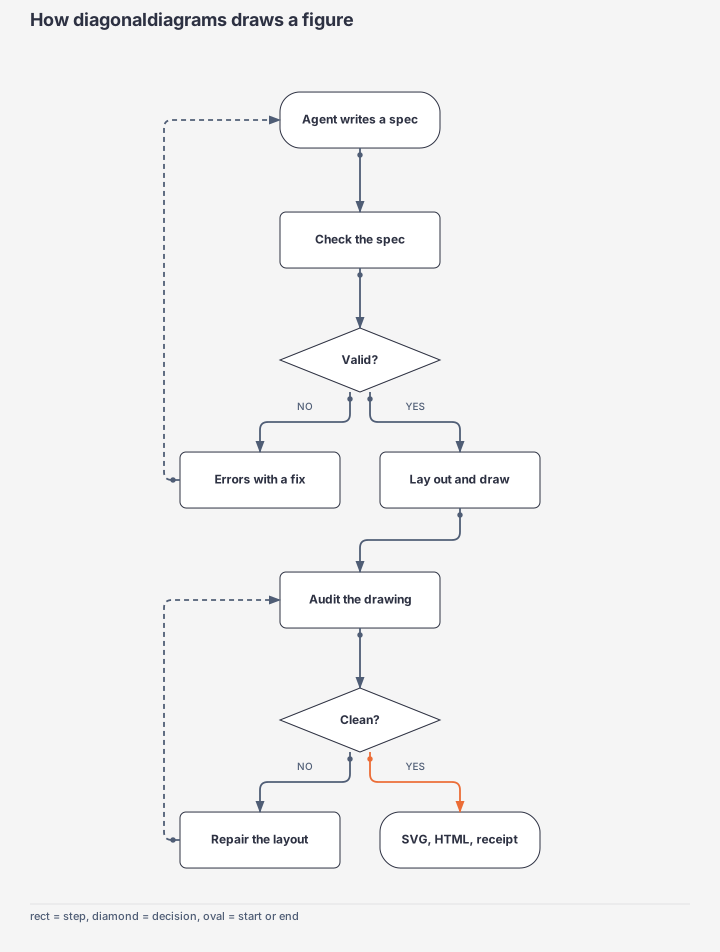
One command takes a short spec, Mermaid, or a CSV, lays it out, draws an SVG, and audits the drawing for labels on labels, arrows through boxes, and text that spills. Pure Python, one file, no dependencies.
Why agents use it
An agent can't see what it drew. This checks the drawing for it, and answers in one line of JSON.
Audited, not hoped for
Every render is checked: label collisions, labels wider than their box, boxes on boxes, arrows through boxes or labels, arrows sharing a line. The layout repairs itself when it can. audit also checks any SVG an agent wrote by hand.
Half the tokens
Measured on real agent runs: fewer round trips than writing SVG by hand, because the agent writes a short spec and trusts the verdict instead of screenshotting to check.
Mermaid in, editable out
Agents already know Mermaid, so no docs to read first. Export to draw.io or Excalidraw when a person wants to drag things around.
Measured
The same three tasks, done by fresh agents (Claude Sonnet) with diagonaldiagrams and by writing the SVG directly. Total tokens processed across all of the agent's calls.
| Task | Hand-written SVG | diagonaldiagrams | Calls | Time |
|---|---|---|---|---|
| Flowchart, 11 steps | 902k | 433k | 13 → 7 | 132s → 66s |
| Line chart, 3 series | 622k | 295k | 10 → 5 | 77s → 29s |
| Sequence, 6 actors | 757k | 427k | 11 → 7 | 153s → 45s |
Most of an agent's tokens are its own instructions, re-read on every call; fewer calls is the saving. Writing the spec itself is about 2% of a run.
Try it
This runs the real engine in your browser (Python via Pyodide, loaded once, about 10 MB). Nothing is sent anywhere.
Gallery
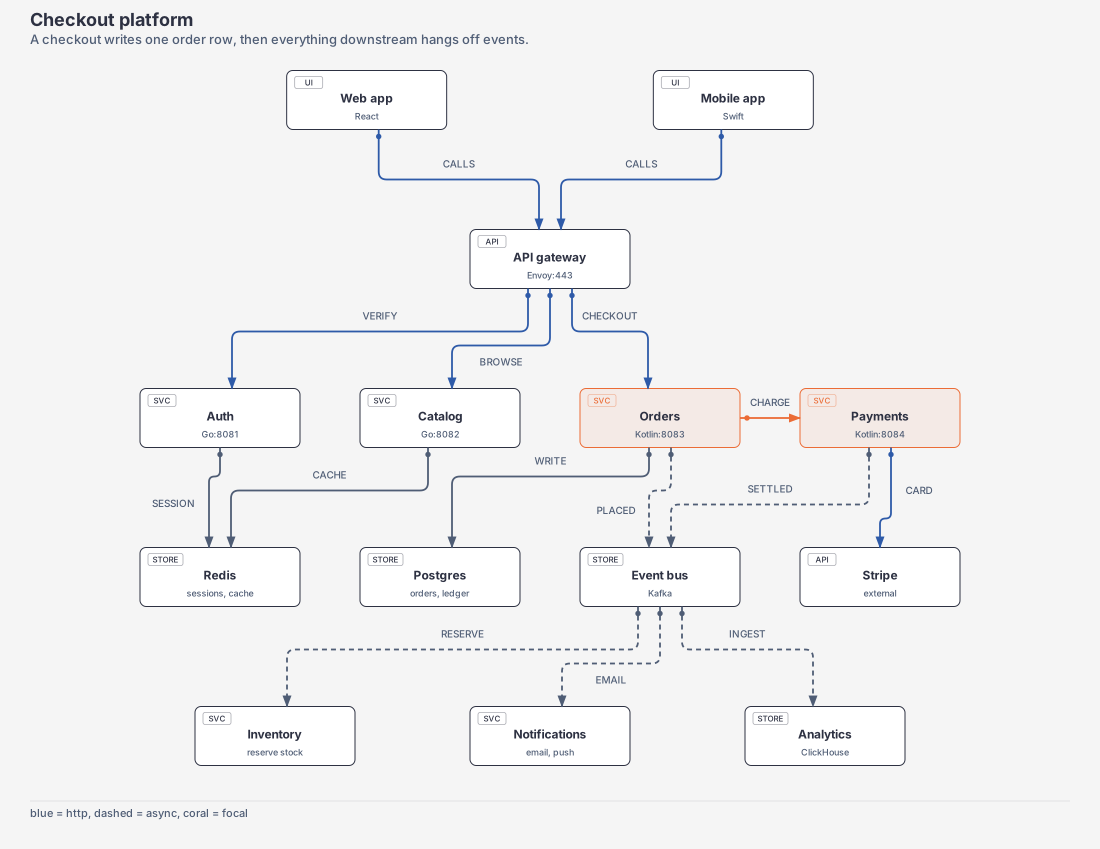
Every figure here was drawn by diagonaldiagrams from a file in examples/, and passed its own audit.
Install
Pick the one that fits your agent. Python 3 is the only requirement.
Claude Code plugin
Adds the drawing skill.
/plugin marketplace add lucas19919/diagonaldiagrams
/plugin install diagonaldiagrams@diagonaldiagrams
Any agent, as a command
Puts diagonaldiagrams on PATH.
pip install git+https://github.com/lucas19919/diagonaldiagrams
As MCP tools
Six tools: render, describe, validate, audit, export, infer. render takes the spec inline.
claude mcp add --scope user diagonaldiagrams -- diagonaldiagrams mcp
One command
diagonaldiagrams mermaid flow.mmd -o out/flow.svg
{"ok": true, "svg": "out/flow.svg", "items": 9,
 "layout": ["row 1: Agent writes a spec", "row 2: Check the spec", "row 3: Valid? (decision)", ...]}
How it works